


- Home
- Companies
- Waterloo Hydrogeologic, PART OF NOVA ...
- Software
- Waterloo Hydrogeologic - Version Hydro ...
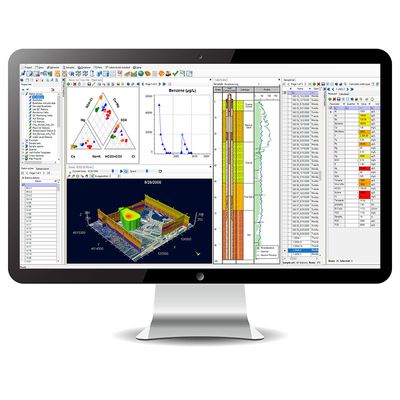
Waterloo Hydrogeologic - Version Hydro GeoAnalyst 13.0 -Environmental Data Management & Visualization Software
Hydro GeoAnalyst (HGA) is our comprehensive and easy-to-use environmental data management system. HGA integrates customizable database structures used around the world with state-of-the-art tools for data interpretation, statistical analysis, Geographical Information System (GIS) mapping, data charting, and visualizations in two or three dimensions.
With Hydro GeoAnalyst, environmental professionals, geoscientists and government agencies have all the tools required to effectively and efficiently manage large volumes of data, and make informed decisions about environmental and water resources.
HGA consists of an application that connects to an SQL Server database and facilitates data management, analysis and interpretation, and collaboration through various purpose-built modules. HGA helps you work with large volumes of environmental data without requiring in-depth knowledge of SQL. HGA+ extends these capabilities by adding modules specifically designed to work with geochemical data and a console for use R to get even more out of your data.
What modules are included in HGA vs HGA+?
Improved Data Quality
Hydro GeoAnalyst standardizes your organization and intelligently validates all data upon import, ensuring it meets quality requirements for reliable analyses and informed decision making.
- Hydro GeoAnalyst helps you kick start your project by providing an environmental database template that consist of tables and fields for common environmental data types, common well profile templates and report templates.
- Increase efficiency and achieve cost savings with streamlined and automated data collection, data import, analysis and reporting workflows.
- Unlike other commercial environmental data management software packages, Hydro GeoAnalyst gives you complete control over your database, allowing you to fully customize the database structure to accommodate project needs and scale your database as data volumes grow.
Vital Information at Your Fingertips
- The Query Builder is a powerful tool that helps you create, save and recall simple to complex data queries without having to know complicated SQL syntax. Easily define the conditions of your query by dragging and dropping database fields, and choosing the desired logical operators (AND, OR, LIKE and IS).
Gain critical insight
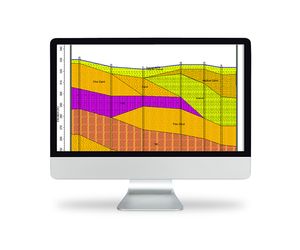
- Gain greater insight into your environmental data with a suite of integrated analysis, interpretation and visualization tools including Map Manager, Cross Section Editor, Well Profile, Time Series Charts, Scene Viewer and more.
- The analysis tools included with Hydro GeoAnalyst are developed solely by Waterloo Hydrogeologic which saves you money, guarantees interoperability, and simplifies procurement and license management.
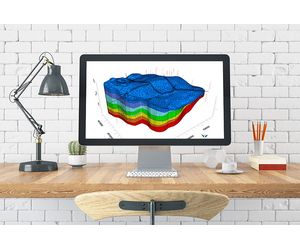
What`s New in Hydro GeoAnalyst 13.0 & Hydro GeoAnalyst PLUS
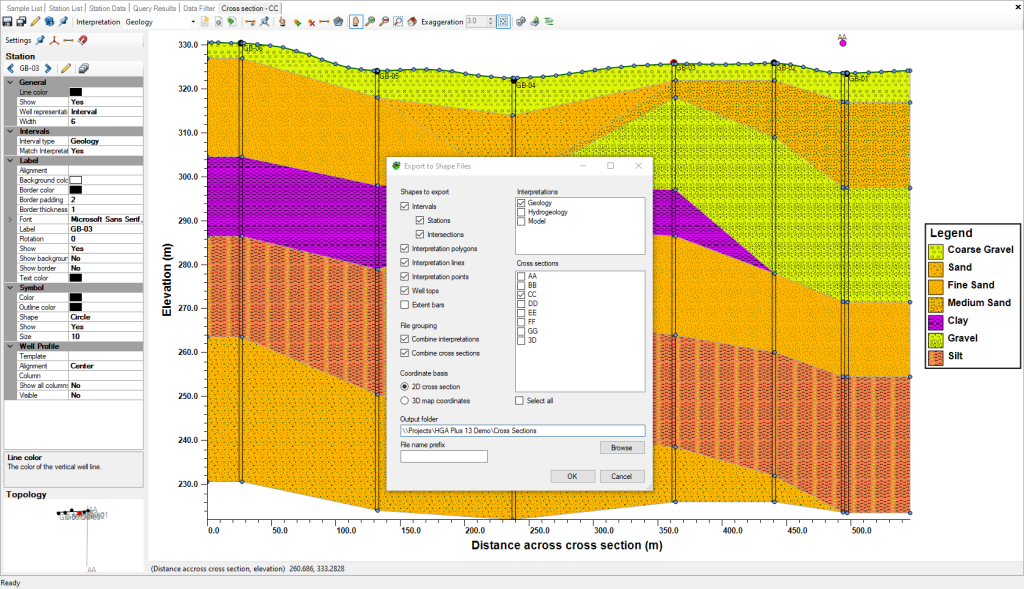
Cross Section Viewer
The Cross Section Viewer Module allows you to export cross-sections as shapefiles for use in other applications:
Map Viewer
The Map Viewer module has been enhanced to include:
- Station Selection: if a station group is the active layer in the map, selections in the map are consistent with the station list, station picker, and other modules
- Create Station Groups: Create a static station group based on a selection in the Map Viewer
- SQL Queries: the Map Viewer allows you to more easily add queries with X/Y fields to the map the plot collection module supports labels for data points
Interval Validator
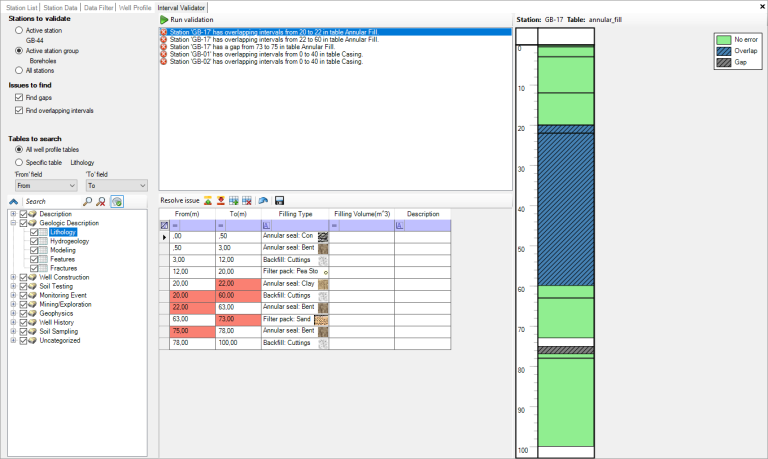
New Interval Validator module allows you to check interval data quality:
- Automated Validation: automatically check intervals of geologic, well construction or other interval data for a selected station or station group for inconsistencies:
- Overlapping intervals: portions of the borehole with overlapping/duplicate intervals can be trimmed using the upper or lower intervals
- Gaps: portions of the borehole with missing information can be filled using adjacent intervals
- Preview Errors: each validation error can be selected and is displayed in its source table with a preview of where the error occurs
- Fix Errors: errors can be fixed manually or with tools to remove duplicates, trim overlap or fill gaps
Plot Collections
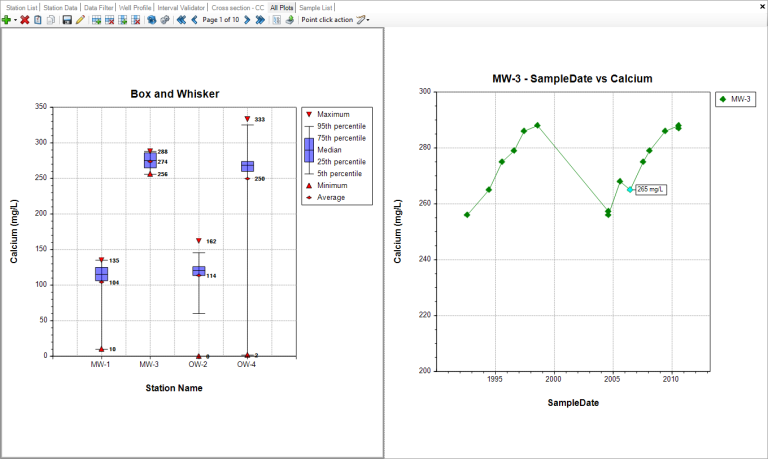
The Plot Collection module includes the following enhancement:
- Plot Labels: plots with discrete data points include settings for data labels, for some, all, or none of the points
Import
The Import module includes the following enhancements:
- Spreadsheet Data Import: importing spreadsheet (.xlsx/.xlsm) data files no longer requires MS-Office, Access Runtime, or the OLE DB driver as a prerequisite
- Import LAS: Log ASCII (LAS) files can be imported using 64-bit editions of HGA
- Import MON: Diver data (MON) files can be imported using 64-editions of HGA
Usability and Other Enhancements (HGA)
HGA and HGA+ include the following additional enhancements:
- Manage Databases: Improved usability for managing databases, including data source migration, backup, and restore options for users with sufficient privileges
- Lists: The Template Manager allows you to select an existing list so that multiple fields in different tables can share the same list as a requirement
- Data Filter: includes a setting to use station names instead of IDs and field aliases instead of database field names for improved readability
- Data Filter: allows admins to view information for the whole database rather than just for the current project
- Queries: Read-only users can run SELECT queries
- Scene Viewer: Images include transparency settings
- Template Manager: the Template Manager allows you to use certain TSQL functions such as GetDate() as the default value for DATETIME fields
Integrated Geochemical Modeling (PHREEQC) (HGA+ only)
HGA Plus includes integrated cross-functionality with the basic features of PHREEQC, the popular geochemical modeling program developed by the USGS:
- The PHREEQC Module supports saving PHREEC (Basic) simulation configurations
- The modeled parameter picker in the Parameter Editor supports filtering and sorting
Usability and Other Enhancements (HGA+)
HGA+ includes the following additional enhancements:
- Project Import: Upgrade AquaChem projects into HGA+
- Sample Import: Setting to define default symbol for newly-imported sample data
- Water Quality Standards: support for lower limits
Previously Released Features:
- See what was included in Hydro GeoAnalyst 12.0 (Download feature sheet)
- See what was included in Hydro GeoAnalyst 11.0 (Download feature sheet)
- See what was included in Hydro GeoAnalyst 10.0 (Download feature sheet)
- For a complete version history, see the Hydro GeoAnalyst readme file
Hydro GeoAnalyst Applications include
- Manage data for local, state and federal groundwater monitoring networks
- Analyze borehole data acquired for mineral exploration
- Manage well construction details and registration information
- Manage data associated with remediation projects
- Store and report landfill monitoring data, groundwater vulnerability assessment and protection planning
- Mapping and reporting of aquifer extents and geologic formations
- Evaluate and report the spatial distribution of water quality parameters