- Home
- Companies
- Waterloo Hydrogeologic, PART OF NOVA ...
- Software
- Waterloo Hydrogeologic - Version ...
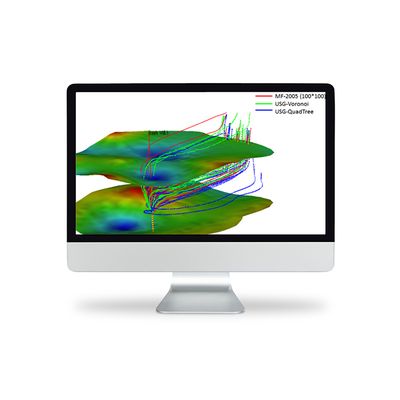
Waterloo Hydrogeologic - Version Modflow Flex 11.0 -Groundwater Flow & Contaminant Transport Modeling Software
Visual MODFLOW Flex brings together industry-standard codes for groundwater flow and contaminant transport, essential analysis and calibration tools, and stunning 3D visualization capabilities in a single environment.
Experience the new version release of Visual MODFLOW Flex 11.0
For a complete version history, see the Visual MODFLOW Flex readme file
Model import has been significantly improved in Visual MODFLOW Flex 11.0. Flex now internally uses the FloPy Python library to perform model import, allowing for more types of models to be imported and greater flexibility during model import.
- MODFLOW-6 and SEAWAT model import: MODFLOW-6 models (unstructured and structed) and SEAWAT models can now be imported
- Unstructured grid import: Unstructured grids (in DISV format) associated with MODFLOW-6 models can now be imported
- Flexible import: During import, individual model elements, such as cell-by-cell flow properties, boundary conditions, initial heads, solvers, output control settings, and other simulation settings can be selected or deselected
- Mid-workflow import: Flow properties (hydraulic conductivity and storage) and boundary conditions (RCH, EVT, CHD, RIV, DRN, GHB) can be imported separately from the import workflow step, making it easier to bring in external MODFLOW packages
- TINs: Triangular irregular network (TIN) surfaces can now be used with your Visual MODFLOW Flex projects
- Import TINs from point shapefiles (.shp) and from Triangle .node or .ele files
- Generate TINs from existing point data objects, using linear or kriging interpolation schemes
- Generate TINs from model layers
- Use TINs to define model horizons
- Use TINs in the expression builder of other data objects
- Use TINs to define boundary condition parameters and model properties in the numerical modeling workflow
- Export
- Recharge and Evapotranspiration boundary conditions as shapefiles
- Surfaces and TINs as point shapefiles
- TINs as polygons
- Water table output as shapefile contours or surface
- Inactive Transport Areas: transport models can include distinct zones for active transport and inactive transport (i.e. ICBUND for MT3D-MS, RT3D, and SEAWAT)
- Transient boundary condition data may now be defined or edited in numerical workflows using the new Schedule Editor
- Recharge and EVT assigned to specified layers:
- Edit/assign layer in recharge/evt boundary conditions
- Support for RCHOP = 2, NEVTOP = 2 options at the translation step for applicable flow engines
- The expression builder supports the layer() function which takes an elevation (from a surface or a constant values) and outputs the associated layer number (this can be useful if you want to assign recharge to outcropping layers in unstructured grids)
- Specified Flux BCs can be translated to an equivalent WEL package file when using MODFLOW-6 (which does not support the specified flux BC)
Visual MODFLOW Flex includes the following improvements for working with your models:
Usability:
- Objects in the data tree can now be reordered by dragging-and-dropping
- Runs can be given an alias, renaming them in the interface
- The coordinate reference system (CRS) selector is now searchable
Visualization:
- Surface and TIN data objects can have upper and/or lower cutoffs applied when visualizing in 2D or 3D
Other enhancements
- Unstructured grids can now be created in their own numerical workflow, separate from the conceptual modeling workflow
- When defining model horizons, surfaces that do not cover the entire model area can now be extrapolated to the model boundary
- In the PEST workflow, flux observations are now available for the MODFLOW-USG engine (consistent with other engines)
- In the conceptual modeling workflow, horizons can now be defined using a constant value, instead of always requiring a surface or TIN
- US regional settings for number and date formats are no longer required to run Visual MODFLOW Flex (however, these settings are still recommended)
- The CRS library has been expanded
- Several client-reported bugs fixed (see readme)
- Delineate well capture zones for domestic water supply development
- Design and optimize pumping well locations for mine dewatering projects
- Determine contaminant fate and exposure pathways for risk assessment
- Simulate surface water-groundwater interactions
- Watershed scale/regional groundwater modeling, and aquifer storage and recovery (ASR)
- Evaluate groundwater remediation systems (pump and treat, funnel and gate etc)
- Evaluate saltwater intrusion
Powerful Data Visualization
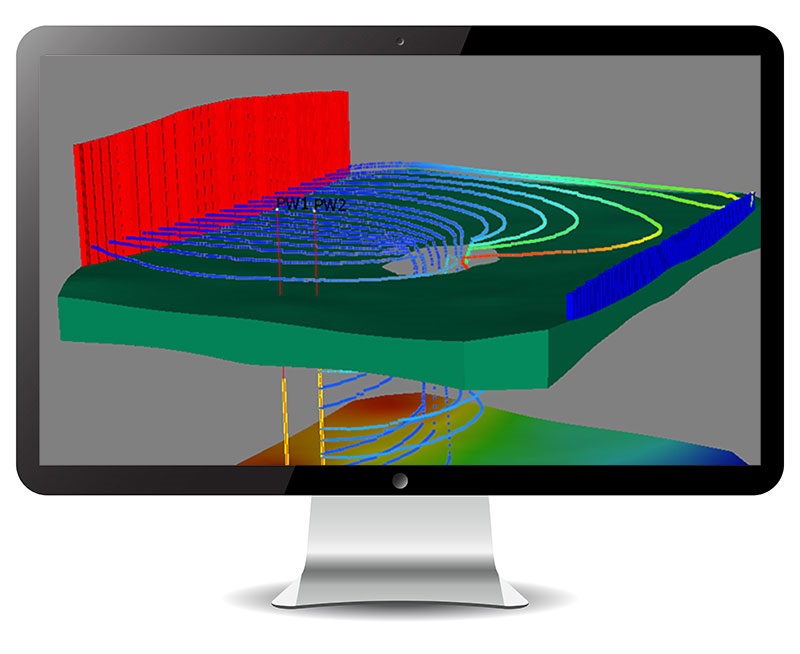
Built and designed on the latest in 3D visualization technology, Visual MODFLOW Flex allows you to effectively present and communicate your data to colleagues and stakeholders with impressive visual renderings of your hydrogeologic model.
- Visualize all data, including conceptual objects, numerical grids, input data (property zones, boundary condition cells) and output data (calculated heads, pathlines, water table) in state-of-the-art 2D, 3D and multi-view (FlexViewer) displays.
- Create cut-away and cross-sectional views that allow you to see inside your model.
- Generate 3D animations and movies for reports or the web, and optimized OpenGL graphics for enhanced hardware rendering.
- Add isolines, contours, pathlines and color shading to viewers.
- Drape raster images (site maps, satellite imagery) over 3D surfaces to show relief
Efficiently Manage Multiple Models
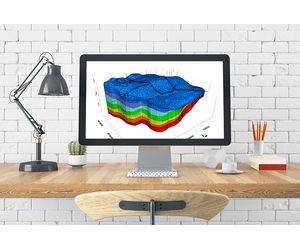
Most modeling projects involve several scenarios/versions, e.g., steady-state vs transient, different properties, inputs and grid types. Visual MODFLOW Flex allows you to assess uncertainty and improve model credibility through comparisons and analysis of multiple modeling scenarios – all within a single project.
- Manage multiple model scenarios in a single project, and make direct visual and numerical comparisons between different modeling scenarios.
- Easily generate multiple models in parallel for evaluating alternative hydrogeologic interpretations and hypotheses.
- Calculate head differences between multiple model runs, with the same or different grid size.
- Compare and analyze multiple modeling scenarios for selecting the best, most realistic model.

Full GIS Integration
Easily construct your grid-independent hydrogeologic conceptual model in minutes using existing GIS data sets.
- Quick and easy data importing of all common file types and formats.
- Automatic coordinate system and units conversion on import, and automatic data validation and intelligent error checking on import.
- Define model boundaries, property zones, boundary conditions and attributes from imported GIS data.
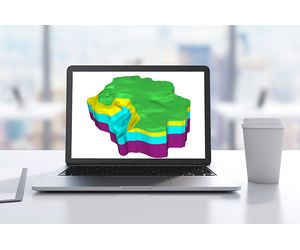
Integrated 3D Conceptual and Numerical Groundwater Modeling
Visual MODFLOW Flex provides a seamless transition from raw data through conceptualization to the numerical model all within a single intuitive modeling environment.
- Define complex geology and model layers using borehole log data and cross-sections
- Interpret GIS data to define hydrogeologic properties and boundaries independent of the grid
- Run, analyze, and validate model results with raw data in 2D, 3D, and cross-section views
- Easily create multiple conceptualizations; generate numerous grids and model scenarios in parallel all in a single project
- Assess uncertainty though comparing heads from multiple model runs in 2D, 3D or chart views

Flexible Grid Options
Visual MODFLOW Flex provides various grid types from which you can generate your numerical model. Easily experiment with different grid types and choose the one that gives you the best, most stable model.
- Choose from various structured and unstructured grid types to accommodate a wide range of applications and geologic conditions (e.g., pinch outs, discontinuities).
- Improve simulation accuracy, reduce runtimes and increase model stability with unstructured grid types (MODFLOW-USG)
- Easily generate multiple grids within the same project and compare side-by-side in 2D or 3D
- Perform grid refinement around areas of interest
- Create faster more stable models with nested child grids that contain local horizontal and vertical refinement (MODFLOW-LGR)
- View all supported grid types