

- Home
- Companies
- Wavefront Software, Inc.
- Software
- Wavefront LIMS - Order And Sample ...
Wavefront LIMS - Order And Sample Management Module
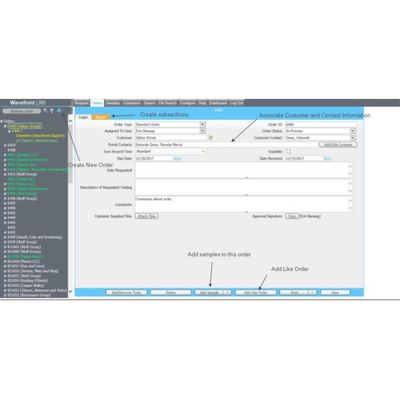
Manage your lab’s order and sample information easily in LIMS. Associate samples to orders, use existing orders and samples as templates for new work log in, and capture important information about orders and samples to seamlessly log in and track your lab’s work.
Group Samples– An Order in LIMS is a group of samples that are tracked together
Log in Orders– There are 2 different ways to log in order into LIMS
- Create New Order– Creating a new order from scratch
- Add Like Order– Copy a previously logged in order and use this order as a template to create a new order
Associate Customers– Associate customer and contact information right to an order
Create User Defined Fields– Capture important additional information about an order by creating user defined fields
Separate Order Fields– Create subsections on orders to view certain fields on a separate screen
- Example: Creating a subsection ‘Report’ to attach any reports related to this order
Print Standard Report– After all sample and test data for an order is captured into LIMS, print a report displaying this order’s information from out prebuilt report format