



Pegasus Vertex - Version CleanMax -Wellbore Cleanup Model Drilling Software
The first step to ensure an optimum completion is to remove leftover drilling fluid residue and casing debris. This requires that the drilling mud be changed out with solids-free completion fluids. Completion fluid displacement involves multiple fluids sequenced in circulation. Varying flow rates, flow paths, circulation subs, multiple stages and possible HTHP conditions make it increasingly difficult to determine pump pressures and bottomhole ECDs. Despite these significant challenges, however, detailed planning of the wellbore cleanup operations can help ensure both job success and well productivity.
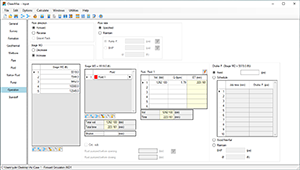
CleanMax, the next generation of wellbore cleanup software, enables both service companies and operators to optimize their completion displacement operations. It is designed to help minimize spacer interfacing and reduce rig time, pill volumes and filtration costs, ultimately resulting in safer operations and cleaner wellbores.
Our advanced version, CleanMax+, is designed for deepwater operations, which involve displacements using the choke, kill, and boost lines and a combination of various steps. CleanMax+ predicts the temperature distributions in the wellbore by calculating the transient heat transfer between wellbore and sea water/rock formation.
- Up to 16 operation stages for land wells
- Free-fall/back-fill (U-tubing) calculation
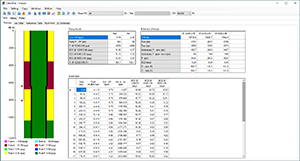
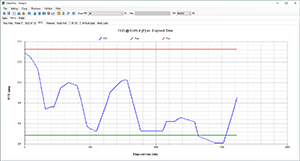
- ECDs/pressures at various depths vs. time
- Up to 12 fluids for each stage
- Circulating temperature prediction
- Fluid compressibility
- Pressure and temperature dependent rheology
- Effects of pipe standoff on hydraulics
- Circulation sub and gravel pack
- Coiled tubing operation
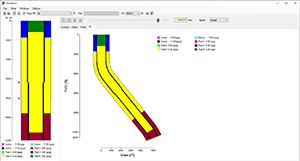
- Displacement Efficiency
- Oil field, SI, and customized units
- Spacer train design
- Flow split with 2 circulation sub
- Operating Systems
- Microsoft Windows® 10 or above
- Microsoft Office®
- 2016 or above
- Processor
- Dual core processor, 1.4 GHz or higher. Not compatible with ARM processor
- Memory
- 4 GB RAM
- Disk Space
- 200 MB of free disk space for installation
- Display
- 1,280 x 768 display resolution
- Installation Options
- Setup file can be accessed from a download link or installation CD provided by PVI