


- Home
- Companies
- H&L Instruments LLC
- Products
- H&L Instruments FiberLoop III - Model ...
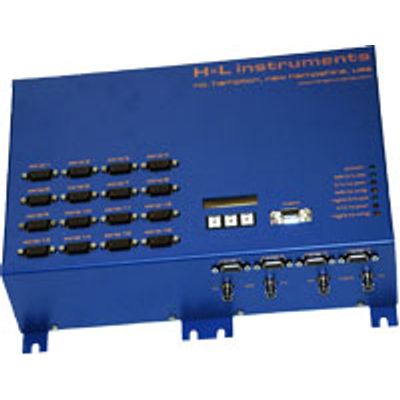
H&L Instruments FiberLoop III - Model 570E-16 -Fiber Optic Controller/Transceiver System
The Model 570E-16 configuration provides 16 serial data communications channels for master/slave supervisory control and data acquisition systems (SCADA). In controller mode, this device automatically reroutes data in the event of a fiber break or transceiver failure. In transceiver mode, the device provides the interface with all remote devices including RTUs, PLCs, and IEDs.
Features include:
- FiberLoop III network technology
- 16 high speed serial ports
- 126 virtual channels
- Two 10/100 802.3 compliant Ethernet ports
- Support for both loop and radial network topologies with up to 250 transceivers
- H&L Instruments` highly reliable, fault tolerant, redundant self-healing loop technology
- FiberPanel III configuration and diagnostic software for managing the network
Remote Monitoring with Network Software
Differentiating itself from competitors, H&L also includes the FiberPanel� Network Management Software with every FiberLoop III system. FiberPanel is specifically designed to work with the Model 570E-16 Transceivers. It allows you to configure and view the system with graphical, easy-to-use windows and to access real-time information about its condition. The software supports remote connections to the fiberoptic network via a standard modem. Additionally, through TCP/IP connectivity, you can monitor and configure the FiberLoop III system via your Intranet or the Internet. Up to four users can monitor an active session. Other fiberoptic solutions only allow you to catch problems after there is a break in the system. FiberPanel displays alarms and records a history of all network events in a log file. If problems with the fibers occur, you can quickly identify and correct any issues. The complete FiberLoop III solution helps you proactively maintain control over your network and streamline your maintenance tasks. Using FiberPanel, from the convenience of your office, you can:
- View a System Map of your entire set-up.
- Check fibers, locations, unit names, and serial numbers. .
- Assign unit names and location tags. .
- Configure parameters for your units. .
- Allocate channels and decide channel speed. .
- Selectively turn on ports to communicate with remote devices, such as relay maintenance ports (which do not have SCADA addresses) to download event data or upload new settings. .
- Measure optical power.
- Isolate faults, turn off serial ports, and re-route signals. .
- Print reports on system activity, including diagnostic reports showing mis-wired fibers, telemetry of unit voltages and temperature and malfunctioning units.