


Advanced Geosciences Inc. (AGI)
- Home
- Companies
- Advanced Geosciences Inc. (AGI)
- Software
- AGI EarthImager - Version 3DCL - ...
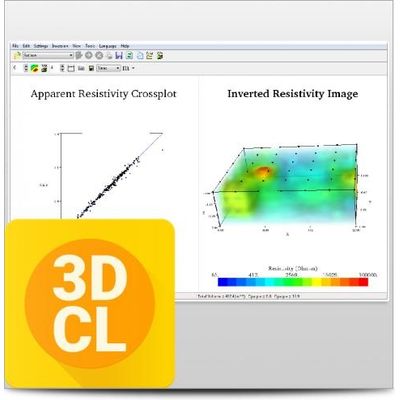
AGI EarthImager - Version 3DCL -Polarization (IP) Inversion Modeling Software
AGI EarthImager™ 3DCL is a three-dimensional resistivity and induced polarization (IP) inversion modeling software. It comes with the 32-bit basic version of EarthImager™ 3D along with the 64-bit 3DCL. 3DCL can access more than 2GB of memory space and carry out scalable parallel processing on a multi-core and/or multiprocessor PC. AGI Earthimager™ 3DCL is only available for PC’s running Windows.
Most popular related searches
environmental cleanup
induced polarization
mineral exploration
resistivity data
3D borehole
spill monitor
resistivity instrument
spill monitoring
groundwater exploration
mineral mapping
- EarthImager™ 3DCL is for use in geotechnical and geologic industries, including the following applications:
- Outlining the shape of caves and voids.
- Calculating the volume of caves and voids.
- Visualizing the bedrock surface.
- Pinpointing precise well location for groundwater exploration.
- Outlining the shape of an ore body during mineral exploration.
- Calculating the volume of an ore body during mineral exploration.
- Mapping the extent of environmental spills.
- Monitoring the progress of an environmental clean-up procedure.
- Calculating volumes and extent of sand, gravel, or clay during aggregate mapping.
- User-friendly Windows GUI.
- Seamless operation with AGI resistivity instruments.
- Inversion Of 3D Surface Resistivity Data.
- Inversion Of 3D Borehole Resistivity Data.
- Inversion Of 3D IP Data.
- 3D Volumetric Rendering With Transparency Control.
- Volume and multiple-slice images.
- Interactive slice image.
- No software limit on number of data points or number of electrodes.
- No limit on array type or electrode location.
- 64-bit parallel processing capability with EarthImager3DCL module.
- Data misfit cross-plot.
- Finite difference forward modeling.
- Options of boundary condition for forward modeling.
- Smooth model inversion.
- Noisy data suppression.
Miscellaneous
- Trackable and retrievable user settings.
- Tool buttons and popup menus for easy access to frequently used menu items.
- Fast hardware-accelerated 3D graphics.
- Windows true 24-bit color.
- Inversion progress bar to show the inversion status.
- Well-organized and hassle-free processing directory structure.
- Saveable in bitmap, JPEG, PostScript, PNG, and TIFF file formats.
- Saveable in XYZ format so it can be loaded into any off-shelf graphics software.
- Convergence curve display.
- User-specified minimum and maximum variable values of the image.
- User-specified colors and contour levels.