


- Home
- Companies
- Divestco Inc.
- Software
- CrossLog - Log Cross Sections Suite
CrossLog - Log Cross Sections Suite
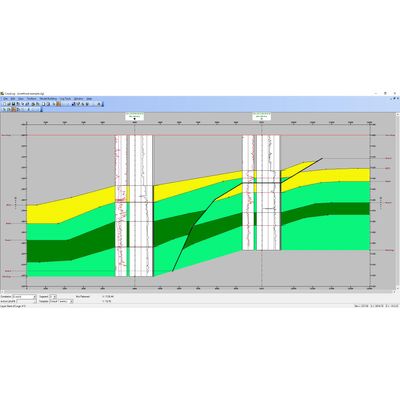
CrossLog Suite uses digital curves and scanned logs to enable you to quickly view, print, and interpret your scanned and digital well logs. CrossLog Suite retains maximum flexibility in drawing structural or stratigraphic cross sections without the need to set up maps or projects. The CrossLog Suite consists of three powerful tools to import, manage and create presentation-quality cross-sections.
- Conveniently and seamlessly links to GeoVista or GeoCarta data sources providing you with the most up-to-date and accurate well data
- Connects directly to EnerGISite
- Digitize logs in LAS format and/or scanned logs in TIF format
RED (Raster Editor) performs depth registration and cleanup on scanned TIF files, and composes the scanned log for use in a cross section.
LogEdit manages well data associated with scanned logs, including digitized curves. Different well logs may be displayed and locked side-by-side on the screen in structural or stratigraphic alignment, enabling you to use the powerful top picking tool to easily add or modify correlations across wells.
CrossLog provides user definition of color, line, text, and graphics using CAD Features to create presentation-quality sections. Create correlations, facies changes, faults, pinchouts, and lenses. Pick and display tops, and add text and graphics files into the cross section.
- Powerful import functionality provides for the inclusion of Features in the cross section, such as cores, perfs, and DSTs
- Overlay scanned and digitized curves, and tracing curves (or portions of curves) to define the log’s appearance
- Create plots directly from the program or import/export from other Windows applications
LogEdit window displaying one raster log per well flattened on a formation top.
Two raster cross section flattened on a formation top with color fills, Interval (DST, Core, Perf etc) posting box and formation name postings.

Digital log cross section with a LithoFill applied to show how the DT (time) curve changes between the wells.