


- Home
- Companies
- GrayWolf Sensing Solutions
- Software
- WolfSense - Version PC - Data Download ...
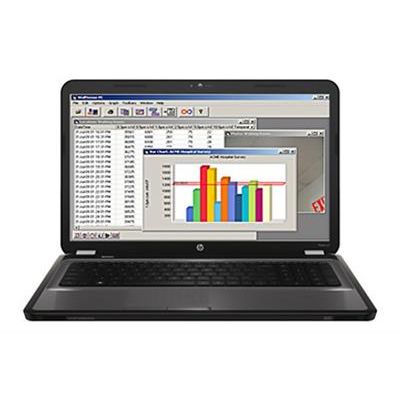
WolfSense - Version PC -Data Download and Graph/Report Generation Software
WolfSense PC data transfer software*, supplied as standard with Advanced-Sense, DirectSense & WolfPack kits, allows readings logged on the meter (or mobile PC) to be reviewed on desktop PCs. Utilize WolfSense PC`s intuitive menu to produce graphs from trend data, add comments, auto-include event note lines, alarm lines, etc. for a highly professional presentation. Data is displayed with attached notes (text, drawing, calibration, etc.) for easy cut and paste into a Word or RTF report. Drop Audio Notes icon onto the Dragon bar and transcribe recorded notes into text (Dragon Naturally Speaking™ Premium Edition software, purchased separately). Add graphs, photos and other files to data for exceptional organization and documentation. View help files/videos and much more.
Advanced software solutions for data logging, analysis and report generation. Intuitive and Easy-to-Use.
- Easily download, review and report on data (including attached notes)
- Create 2D or 3D trend graphs with embedded event notes & alarm lines
- Build bar charts comparing files from varied locations (graphic or tabular)
- Add correction factors to data
- Attach photos and other files, supplementing notes attached to data files in-situ
- View GrayWolf`s Help & Informational Videos in large format (or import others for viewing on meters, on-site)
- Preload Site/Location names, add your own Documents/Templates to view/populate in-the-field, and more...
- Analyze actual ventilation rates compared to ASHRAE guidelines (and other advanced functions)
- Or just simply export data to Excel*