


- Home
- Companies
- Environmental Software Online, ...
- Software
- Didger - Version 4 - Geoprocessing ...
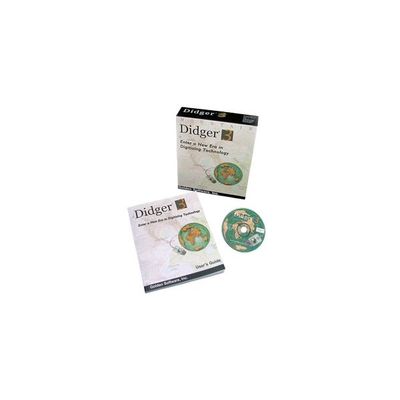
Didger - Version 4 -Geoprocessing Toolbox
Discover the Ultimate Geoprocessing Toolbox! All the advanced features you need in a low-cost, unbelievably versatile program. There has never been a more comprehensive, powerful, all-in-one software solution that provides an easy-to-use and intuitive user interface for digitizing, geographic referencing, reprojection, tiling, and mosaicking. Didger solves the problem of combining data files in different coordinate systems, by providing extensive tools to transform the data into one cohesive coordinate system. You can use Didger to precisely convert paper maps, graphs, aerial photographs, or any other plotted information into a versatile digital format that you can use with other software. Didger can create new maps from the ground up or edit any map, drawing, image, or data set imported into it.
Start processing your data quickly and accurately with Didger. Some applications for Didger include:
- digitizing points, polylines, and polygons, such as oil and gas wells, monitoring wells, wireline logs, graphs, contour lines, aerial photographs, satellite images, seismic lines, roads, property boundaries, buildings, sample locations, faults, rock formations, vegetation boundaries, and animal habitats
- calculating areas of polygons, such as watershed or lake areas
- calculating lengths of polylines, such as shorelines, roads, streams, or migratory routes
- georeferencing and/or mosaicking aerial photos or scanned images
- converting the projection of scanned images, vector files, data files, or Surfer GRD or DEM files
- overlaying vector, data, and image files to create a complete map
- and much more!
Didger makes it easy to quickly extract the data you need from images. Import an image, such as a USGS Digital Raster Graphic, and Didger can automatically pick out and digitize the contour lines in seconds (digitized in yellow above). Assign elevations to the contours and with just a few clicks import the contour data directly into Surfer as a colorful and customizable contour map, ready to overlay or combine with other data.
Digitize any map, graph, aerial photo, site map, or printed image regardless of size using any Wintab compatible tablet, or scan it in and digitize it onscreen! For example, import and calibrate a scanned image of a well log and digitize the log information, including any wrapped portions of the log! Easily export the digitized data to an LAS file.
Mosaic multiple large USGS Digital Ortho Quarter Quads (DOQQs) and overlay them with other imported information, such as hydrography (blue) and road (orange) data. Reproject files on import so all your data is in one cohesive coordinate system.
Georeference images in Didger and digitize information directly on the image. Change the projection of the entire project and add graticule lines to ensure your data is presented at its best. Digitized data can be exported to all industry standard vector files such as SHP, MIF and DXF.