

- Home
- Companies
- NV5 Geospatial Solutions, Inc.
- Software
- NV5 ENVI - Industry Standard Image ...
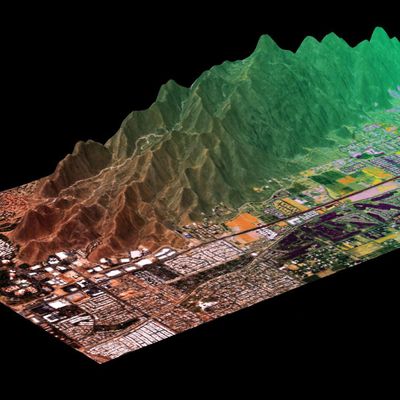
NV5 ENVI - Industry Standard Image Processing and Analysis Software
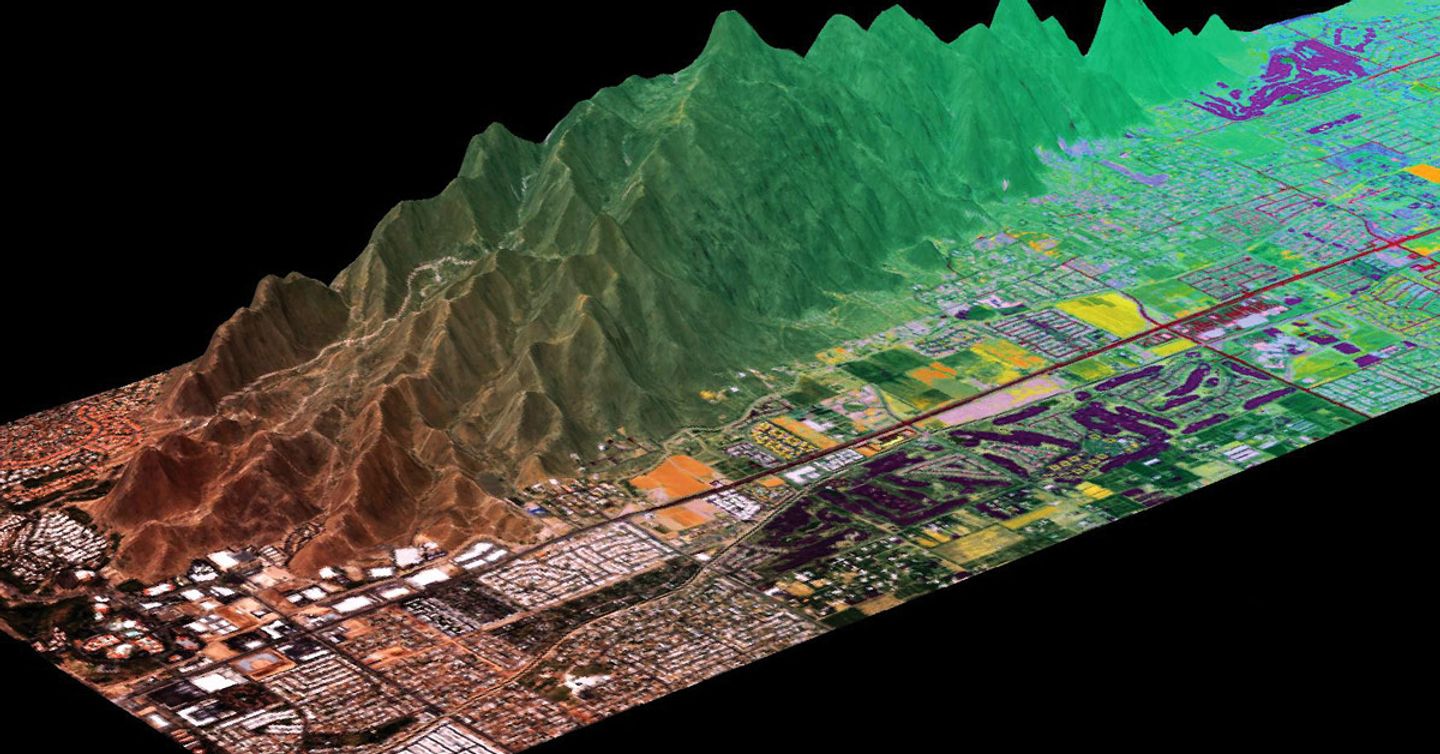
ENVI is the industry standard image processing and analysis software. It is used by image analysts, GIS professionals, and scientists to make critical decisions and solve difficult problems with confidence.
ENVI image analysis and processing software is beneficial for everyone from entry level analysts to domain experts. It contains many easy-to-use tools that don’t require advanced training and education in remote sensing to get actionable results. ENVI offers intuitive data visualization, processing, and analysis.
A suite of comprehensive data analysis tools are exposed as discrete tasks that guide users through image processing steps. Some of these tools include data calibration, pre-processing, atmospheric correction, pan sharpening, orthorectification, and image registration. From there, ENVI workflows can be used to detect changes and anomalies, measure and extract features, model topographic characteristics, and much more. Reports of your findings are easily generated and shared.
ENVI supports all of the latest data collection platforms (satellites, airborne, drone, terrestrial), more than 200 different types of data, and different modalities including panchromatic, multi and hyperspectral, lidar, SAR and FMV. ENVI works with any size data set and has automated tools to quickly and easily prepare big and small imagery for viewing and further analysis.
Read and analyze many data formats
ENVI supports most data formats including scientific formats such as HDF and CDF and image types like GeoTIFF, and additionally provides JITC-compliant NITF support.
Fuse data together
Use ENVI to combine radar, lidar, SAR, optical, hyperspectral, multispectral, stereo, thermal and/or acoustic data to exploit the strengths of each sensor and create rich geospatial products for informed decision making.
Seamless integration with today`s popular sensors
ENVI geospatial image analysis software supports imagery gathered from the newest and most popular satellite and airborne systems. These include the Sentinel missions, Landsat missions, AVIRIS Hyperspectral, Planet Dove and SkySat imagery, NPP VIIRS, GOES, Pleiades, SPOT, WorldView systems, framing and line cameras, RADARSAT, TerraSAR-X and commercial lidar sensors.
ENVI software is the definitive leader in spectral image processing and analysis with the top tools to analyze multi and hyperspectral data including spectral target detection and identification. These tools are based on established, scientific methods for spectral analysis – using pixel responses at different wavelengths to obtain information about the materials within each pixel.
Best in class and proven by experts
ENVI spectral tools can detect targets, calculate vegetation and forest health, map materials of interest, and much more. They are used to measure marine debris and pollution, analyze wildlife habitats, map oil slicks, evaluate water quality, mitigate wildfires, detect methane leaks, identify minerals, map vegetation health, and assist with many Defense and Intelligence applications.
There are interactive capabilities found exclusively in ENVI including spectral library support and workflows that are needed to process hyperspectral data. ENVI’s spectral algorithms have been peer-reviewed, tested, and ultimately proven by the remote sensing community over several decades.
ENVI geospatial software is written in IDL®, a modern programming language that provides the ability to extend or customize ENVI features and functionality. The ENVI API lets users add their own proprietary algorithms, extend existing tools and models and automate workflows for batch processing. ENVI is also accessible via a Python client library.
Perform visual programming and write custom tasks and workflows
If you aren’t a programmer, the ENVI Modeler is a visual programming tool that makes it easy to perform batch processing and effortlessly create custom image processing workflows without having to write a single line of code. In addition, if you are an Esri user, you can run your ENVI Modeler workflows in ArcGIS Pro or ArcMap. With ENVI Modeler’s intuitive user interface, you can also run processing in the cloud, or on remote servers, with the click of a button.
For the developer, ENVI software enables users to write custom tasks using templates that define the input and output parameters required for data processing. These discrete processing tasks are de-coupled from the desktop and can easily be chained together to build custom workflows. A task can be written once and then run on desktop or enterprise environments.
ENVI image processing and analysis software is tightly integrated with Esri’s ArcGIS platform and lets GIS users seamlessly access and analyze imagery to solve critical problems with confidence. ENVI analytics can be accessed from within any ArcGIS environment and results can be displayed directly from ArcGIS Pro, ArcMap or via ArcGIS Online. By extending ArcGIS with ENVI analytics you can derive quantitative, actionable results from remotely sensed data, share them across your organization and use the information to make better decisions, regardless of your experience.
With the integration of ENVI’s task-based analytics into ArcGIS, it is easy to implement all of the advanced ENVI image processing techniques on the desktop or in the enterprise. Additionally, there are automated workflows exposed out-of-the-box in ArcGIS making it easy to deliver expert-level results regardless of image analysis experience.
NV5 has exposed ENVI tasks through a Python client library, ENVI Py, which enables users to access ENVI’s suite of top image processing tools directly from ArcMap or ArcGIS Pro. Users also have access to out-of-the-box toolboxes for ArcMap or ArcGIS Pro. This suite enables ArcGIS users to take advantage of ENVI’s advanced imagery capabilities where and how they want.
ENVI Modeler helps you perform batch processing and effortlessly create custom image processing and analysis workflows without writing a single line of code. These workflows can be published directly to ArcGIS Pro.
Not only is the volume, variety and velocity of data increasing, but so too is the spatial resolution and temporal cadence. In order to make informed decisions in a timely manner, you must be able to efficiently and accurately analyze data and geospatial imagery at scale.
ENVI Server lets you run processing in parallel or in the background using ENVI desktop and allows you to take advantage of modern hardware. With ENVI Server, you no longer need to wait for ENVI`s progress bars to finish before getting to the next step of your workflows. One of the best features about ENVI Server is that it is free to anyone who has access to ENVI 5.6 or newer. There is no additional fee, license or module that you need to purchase to use ENVI Server.
You can also use ENVI as a client to ENVI Server – meaning that, any machine with ENVI Server and access to the same data as your local ENVI session, can accept processing from ENVI. You can use the ENVI Modeler or ENVI dialogs to send processing to ENVI Server. This allows you to keep using ENVI image processing and analysis software the same way that you always have to easily take advantage of the power of ENVI Server.
ENVI Server is a great way to try out enterprise image processing. If you have immense volumes of data to analyze, then scalable processing in the cloud might be what you need. ENVI makes it easy to take workflows created with the ENVI Modeler or the ENVI API and deploy those to cloud-hosted processing instances – write once and deploy anywhere.
Implementing cloud-based image analytics reduces hardware and software costs and overhead for support and maintenance. A centralized repository for data and analysis functionality also increases collaboration among disconnected users. We have experts who can help you implement this type of technology. Learn more >