


- Home
- Companies
- Killet GeoSoftware Ing.-GbR ...
- Software
- NTv2Poly - Version 7.03 - Inserting ...
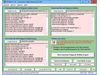
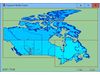
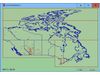
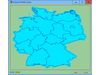
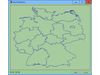
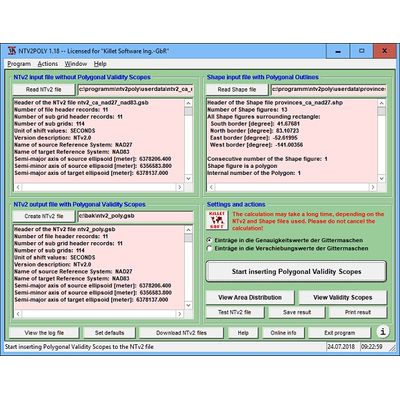
NTv2Poly - Version 7.03 -Inserting Polygonal Validity Scopes into NTv2 Binary Files using Outlines from Shape Files
NTv2Poly geosoftware replaces the rectangular activity scope contained in NTv2 files with a Polygonal Validity Scope, which is realized with an outline file in classic Shape Format. Invalid calculations outside the Polygonal Validity Scope thus can be excluded or acknowledged by a warning.
- Four new menu items with links to topic-related worksheets.
- Certification of the program and the installer renewed.
- New work sheet about the
 utilization of the program NTv2Poly..
 - Added NTv2 files and shape files from Canada and Germany for testing.
- Added a new graphics windows "Area Distribution" and "Polygonal Validity Scope".
Using NTv2 grid files it is possible to transform points from one coordinate reference system to another with very high accuracy. An NTv2 file contains one or more quadrangular coordinate grids which are defined in the NTv2 headers. Instead of a rectangular area only an embedded polygonal area should and must be covered, for example, a state territory within the country borders.
The program NTv2Poly realizes Polygonal Validity Scopes in NTv2 files. Using so prepared NTv2 files, coordinates outside the validity scope can be excluded from calculations or they can be acknowledged by a warning. This works with coordinate transformations using the geospatial software TRANSDATpro and GeoDLL by KilletSoft and with many GIS programs which support Polygonal Validity Scopes.
The Polygonal Validity Scope is realized with a shape file, which contains the outlines of the scope as polygons. The file format Shape is developed by ESRI as a format for geographical objects. For example, in the shape file the border outlines of a country may be stored, which represent the polygonal scope for the NTv2 file used in that country. Using the program NTv2Poly the polygons of the shape file and the quadrangular surface of the NTv2 file are superimposed one on the other and processed in an ingenious manner.
The term "exopolygonal entry" used in the course of the text stands for the entry of a characteristic value in a grid mesh of an NTv2 file to exclude this grid mesh from the scope of the NTv2 file. It follows that all grid meshes with exopolygonal entries are invalid. The program NTv2Poly marks all grid meshes that lies outside the polygons of the used shape file as invalid by introducing exopolygonal entries in the NTv2 file.
By using exopolygonal entries in the shift values or in the accuracy values of the NTv2 file, there are two methods for realizing Polygonal Validity Scopes, which both are supported by the program. The two methods differ considerably in their effects.
- Exopolygonal entries replace the accuracy values of the grid meshes.
Exactly one grid mesh is addressed at the grid point of a coordinate. Exactly this grid mesh is defined by the grid point and addressed regarding the interpolation of a coordinate that lies within. This grid mesh is excluded from the polygonal validity scope of the NTv2 grid. - Exopolygonal entries replace the shift values of the grid meshes.
With a bilinear interpolation the four adjacent grid points of a coordinate are used. Each may contain exopolygonal entries. So, all in all four grid meshes are addressed and each has one grid spacing in northern and southern direction and one grid spacing in western and eastern direction from the grid point. These are the four grid meshes that are arranged around the grid point. Exactly these four grid meshes are excluded from the polygonal validity scope of the NTv2 grid.
The use of Polygonal Validity Scopes is described in detail in our Work sheet "Proposal for using Polygonal Validity Scopes in NTv2 grid files".
The program has a user-selectable multi language interface and comes with extensive online help. The program can be run on most common networks and it is possible to use Terminal Services on WINDOWS Servers. In case of a network installation the clients are installed automatically by the program.