


- Home
- Companies
- Relequa Analytical Systems Ltd
- Software
- Relequa - Version MP-1000 - Moisture ...
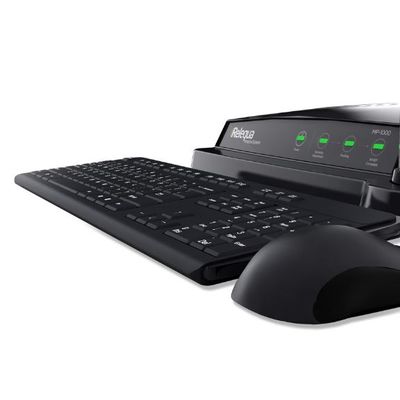
Relequa - Version MP-1000 -Moisture Profiling System
The Relequa MP-1000 Moisture Profiling System is engineered for precise moisture analysis in various materials. At its core, the system is designed to ensure the integrity of samples by maintaining them in an airtight environment during testing. The setup process is straightforward, involving connections for power, keyboard, mouse, and monitor, with options for wireless peripherals. A critical feature is its adjustable humidity control, allowing operators to start profiling at a desired relative humidity, typically defaulting to 70% RH. The software manages the profiling process in real time, displaying and logging data at 10-second intervals. The MP-1000 complies with 21 CFR Part 11 standards, featuring timestamped logs and secure user-associated files for traceability and compliance. The system's real-time graphical interface provides immediate insights into moisture levels, facilitating informed decisions in industries relying on precise moisture control, such as additive manufacturing.
Set Up of Your Relequa System
The MP-1000 is incredibly simple to set up. The power cable from the back of the MP-1000 plugs directly into a mains voltage supply. A keyboard and mouse are attached to the USB ports at the rear of the unit. If you have purchase our WiFi option then the keyboard and mouse supplied will work wirelessly. The widescreen monitor connects separately to the mains supply and the HDMI cable connects at the back of the MP-1000.
Pressing the power switch at the rear of the MP-1000 boots up the Relequa® Moisture Profiling™ software. The MP-1000 is then ready for use.
Sample Preparation
Preparation/Handling
One of the most important parts of Moisture Profiling™ is the integrity of your sample. When working with moisture analysis consideration has to be given to the way your samples have been treated prior to testing. Open exposure to the environment can change the moisture status of your samples. Until immediately before running a moisture profile, it is critical that your samples are maintained in their original packaging or held in air tight sample containers. Sample preparation for a Moisture Profiling™ run is minimal.
Place your sample in the Relequa® metal sample holder. Immediately insert the sample holder into the sample holder shaped port at the top of the test chamber and close the door. Your sample is now contained within an airtight vessel ready for the beginning of its Moisture Profiling™ run.
Real-Time Moisture Profiling™
The moisture profile begins following initiation of a Moisture Profiling™ run when the selected starting humidity is reached within the sealed chamber. A graph in real-time of the %RH within the chamber appears on the screen. The data appearing on the screen and the same data logged to a secure file is set by default at 10 second intervals.
Whenever you are working with the Relequa® MP-1000 software, all actions are logged and shown with a timestamp in the Actions window at the bottom right hand side of the Relequa® control screen. Each Moisture Profiling™ run is automatically saved and the data file is time stamped.
In 21 CFR Part 11 compliant mode the logged actions are stored to a secure file associated with the User that has logged into the software with their electronic signature.
In compliant mode, all secure data files generated are associated with the User that has logged into the software with their electronic signature.