


Fultek
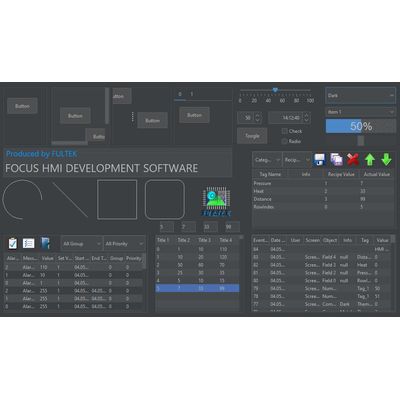
Fultek - Version HMI -Programming Software
FromFultek
Focus HMI program works on all operating systems. You can use it as a SCADA program for Linux, Ubuntu, Debian, Armbian, Raspberry Pi, Orange Pi. You can use it for free to program Fultek HMI panels. It is paid when used as Linux SCADA, Debian SCADA, Ubuntu SCADA, Armbian SCADA, Raspberry Pi SCADA and Orange Pi SCADA. For Fultek HMI models, visit our HMI page.
Most popular related searches
- Focus HMI works on all operating systems running java.
- You can learn easily thanks to its extremely user-friendly interface.
- You can design your screens with java’s unique color management and transparent objects.
- You can group objects and speed up your work with batch processing.
- With four different container panel objects, you can use the screen much larger than it is.
- You can use Chart, Gauge, Alarm, Recipe objects and many more special objects.
- The event view saves and reports all of the operator’s movements.
- You can create, print and read a barcode on the screen.
- With Fulmatic 7 PLCs, you can connect via Ethernet or serial port by typing the variable address directly.
- One HMI can communicate with thousands of PLCs at the same time. Modbus RTU, Modbus TCP / IP, Profinet (Siemens), Hostlink (Omron), Fins Ethernet (Omron).
- Focus HMI can share all values in the tag table with third devices with the Modbus TCP / IP Slave feature. Bidirectional reading and writing can be made.
- With the “Write Only” option in Modbus TCP / IP master communication, you can use it in distributed systems without the requirement of static IP. It will only be sufficient for the SCADA station in the center to have a static IP.
- You will find Alarm and Recipe management far beyond what you are looking for in the Focus HMI program.
- With Schedule, you can schedule and run many processes.
- You can write scripts with Java code and run them in specified situations. Supports all java commands. If you wish, you can create your own forms.
- You can save the history of the tags in SQLite databases. With SQLite queries, you can filter the recorded data according to the conditions you specify, create reports, save them automatically to disk and transfer them to USB memory. Millions of historical values can be stored on disk. And you can limit the amount of this data.
- You can download the report files saved with the Webserver feature without going near the HMI. Or you can dynamically generate reports with internet browsers.
- With the Webserver feature, you can monitor the HMI screen instantly from your mobile phone, tablet and computer with internet browser programs.
- You can monitor alarms remotely with the Webserver feature.
- You can create and authorize as many users as you want at 256 different levels.