


- Home
- Companies
- Pear Technology Services Ltd.
- Software
- PT-Mapper - Core Application for ...
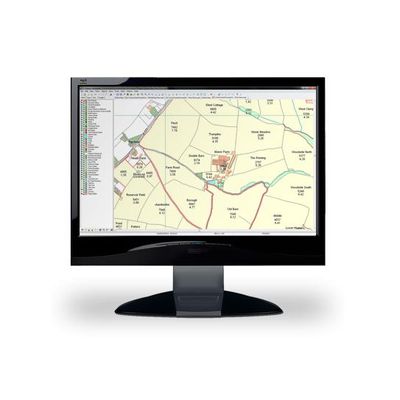
PT-Mapper - Core Application for Creating Maps Software
PT-Mapper is a versatile but easy to use Windows program for creating, editing and maintaining a wide variety of maps. It has been designed specifically to meet the requirements of non-IT professionals such as Land Agents, Farmers, Town and Parish Clerks, Business Managers, Grounds Managers – all those who wish to use digital mapping as an aid to running their business but who don’t have the time, budget or inclination to invest in the type of mapping/GIS used by large organisations.
PT-Mapper is the core application for creating maps for managing land and assets. It provides more power than free online mapping services and all the key functions of more expensive geographic information systems. PT-Mapper brings together your own data with that of other agencies to create a single version of the truth at your fingertips.
PT-Mapper is easy to learn and simple to use. It can be used on a single computer or be used by a team over a network. Maps created in PT-Mapper can also be used away from the office via mobile device – even where network connections are unavailable.
- Boundary mapping
- Tree management
- Land records
- Planning permission
- Utilities recording
- Projects and Developments
- Event Management
- onservation recording
- Rights and privileges
- Stewardship schemes
- Ownership and tenancy
- Planning and Grant Applications
- Referencing and recording
- Strategy planning
- Surveying
For best performance, we recommend the following:
PC- Dual-core intel processor
- 4Gb RAM minimum (6-8 Gb RAM recommended)
- 500Gb storage
- 16″ laptop or 22″ monitor
- 1600×900 screen resolution
- Windows 7 or 10
Unfortunately, our software does not currently run on Macs or Linux devices.
- Create separate maps from your main map
- Export maps to PocketGIS
- Use tree tab to speed up tree management
- Produce a complete property schedule for viewing and export to Excel
- Search and navigate map via street gazetteer