


- Home
- Companies
- Killet GeoSoftware Ing.-GbR ...
- Software
- NTv2Tools - Version 7.03 - Tools for ...
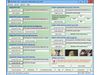
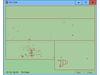
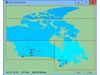
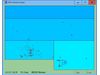

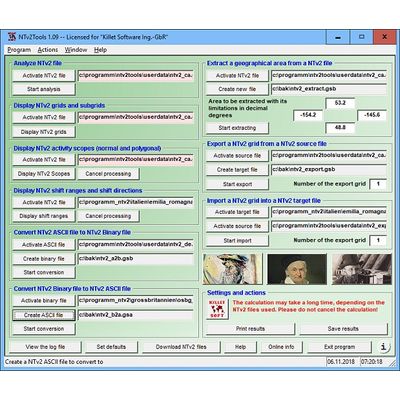
NTv2Tools - Version 7.03 -Tools for analyzing, developing and processing of NTv2 files in Binary and ASCII Formats
NTv2Tools geosoftware provides tools for the developing and processing NTv2 files in binary and ASCII format. The available tools can be used to analyze and manipulate NTv2 files and represent the results on the screen and on the printer, as well as in graphics and in files.
- Four new menu items with links to topic-related worksheets.
- New work sheet on the
 use of the program NTv2Tools.
 - Time-dependent message windows with countdown.
- New modules for export and import NTv2 grids to / from NTv2 files.
- New module to analyze shift wides and shift directions.
The NTv2 (National Transformation Version 2) file standard was developed by the "Department of Natural Resources of Canada" in the middle nineties. Using NTv2 grid files it is possible to transform geodata from one coordinate reference system to another with very high accuracy. An NTv2 file contains one or more quadrangular grids with shift values which are defined in the NTv2 headers. NTv2 files are available in ASCII and binary formatted variants. The ASCII variant is generated during the development phase of the NTv2 file, whereby all header and grid entries can be read and edited with a word processing program as plain text. For productive use in geodetic software and in GIS, the much faster binary variant with the same content is used.
The program NTv2Tools provides digital tools for analyzing, developing and processing NTv2 files in binary and ASCII formats. NTv2Tools analyzes NTv2 files and outputs detailed information on the screen, in graphics files and in text files. The analyzes include the textual representation of the NTv2 header and all grid headers, the graphical representation of all NTv2 grids, the graphical representation of the NTv2 activity scopes including the Polygonal Validity Scopes and the graphical representation of the shift ranges and shift directions.
The program allows conversions between the binary and ASCII formatted variants of the NTv2 files. Furthermore, areas with all contained grids can be extracted from NTv2 files and swapped out to new NTv2 files. This resolves the known issues with oversized NTv2 files. For the export and import of NTv2 grids are further tools available in the program NTv2Tools. Single grids of an NTv2 file can be exported to a new NTv2 file, and single grids of an NTv2 file can be imported into an existing NTv2 file.
The following processings are possible:
- Analyzeing NTv2 file and displaying the file header and all grid headers
- Displaying NTv2 grids graphically
- Displaying NTv2 activity scopes (normal and polygonal) graphically
- Displaying NTv2 shift ranges and shift directions graphically
- Converting NTv2 ASCII files to NTv2 Binary files
- Converting NTv2 Binary files to NTv2 ASCII files
- Extracting areas with all grids from NTv2 files
- Exporting NTv2 grids from NTv2 source files
- Importing NTv2 grids into NTv2 target files
Alternatively, the processings listed here can be embedded as a DLL with the Geodetic Development Kit engineered by KilletSoft into your own programs. Detailed information about all processings can be found at the following links:
- Work sheet "Tools for analyzing and processing of NTv2 files"
- Geodetic Development Kit - Function group "NTv2 Tools"
NTv2 files that have been previously equipped with Polygonal Validity Scopes to map a polygonal boundary instead of a quadrangular area in the NTv2 grids are supported by the NTv2Tools program. The Polygonal Validity Scopes realized in the NTv2 files is taken into account for all types of processing and is displayed in all graphical views. Detailed information on this topic can be found at the following links:
- Program description of the program NTv2Poly
- Work sheet "Proposal for using Polygonal Validity Scopes"
- Work sheet "Inserting area boundaries as Polygonal Validity Scopes"
The program has a user-selectable multi language interface and comes with extensive online help. The program can be run on most common networks and it is possible to use Terminal Services on WINDOWS Servers. In case of a network installation the clients are installed automatically by the program.