


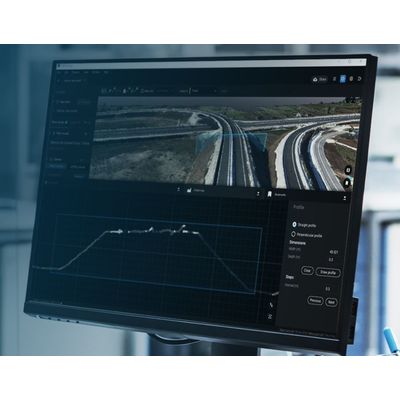
Version PIX4Dsurvey -Digital Surveying
Bridge the gap between photogrammetry and CAD. Capture: Capture images or point clouds with a drone or any laser scanner. When using a drone, automate and optimize your flights with the free PIX4Dcapture mobile app. Import: Import data from other Pix4D software or a .las or .laz file to PIX4Dsurvey and combine multiple datasets into the same project. Work with both imagery data and LiDAR point clouds. Vectorize: Generate a TIN to model the ground and create engineering-ready CAD vector files from point cloud data by extracting key elements of your project with PIX4Dsurvey. Model: Move from a lightweight point cloud to a model of your terrain. Use the Smart Grid, TIN, and terrain classification to get accurate, actionable results Integrate: Open your simplified, accurate data in any CAD or GIS software with custom layers and properties that fit your existing workflow.
Extract only the most relevant information to speed up and simplify your surveying workflows
Vectorize anything
Use the combined power of images and point clouds to extract key elements from photogrammetry, laser scanning or LiDAR data. Survey curbs, building footprints, walls, catenary curves and more.
Time-saving benefit
Work 50% faster when you vectorize from point clouds and verify in images, while the Smart Grid saves 1,000s of clicks creating spot elevations.
CAD ready
Include layers and properties for a smooth transition to CAD or GIS and reduce file size when exporting your projects as vector files.
Volume measurements
Create and measure the volume of any object, even against a wall or in a corner, with fast, simple steps.
- BUILT-IN VECTORIZATION TOOLS
- MEASURE VOLUMES
- CREATE SURFACES
- UNLOCK MORE DATA
- SCALE UP
- INTEGRATED SOLUTION
- EASY EXPORT
Import projects from PIX4Dcloud, PIX4Dmatic, PIX4Dmapper or any .las or .laz file.
Aerial data
Create a point cloud from images in PIX4Dcloud, PIX4Dmapper or PIX4Dmatic, and drag and drop the .p4d or .p4m file to PIX4Dsurvey.
Laser scanner or LiDAR
PIX4Dsurvey works with multiple point clouds at the same time formatted as an .las or .laz file.