


- Home
- Companies
- EarthSoft, Inc
- Software
- EarthSoft - Version EQuIS Collect - ...
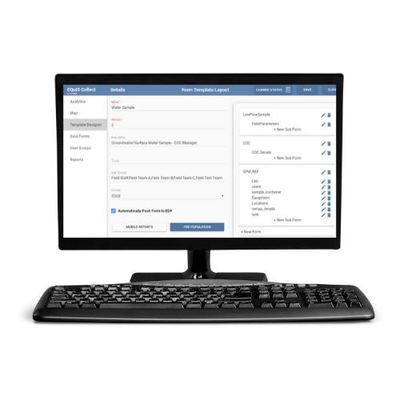
EarthSoft - Version EQuIS Collect -Supported Field Module
EQuIS Collect is EarthSoft’s supported field module in EQuIS workflow and integrates with multiple other EQuIS applications. EQuIS Collect Enterprise dashboards help manage projects and field crews, build and publish Collect Form Templates, and review sampling-activity analytics. Collect Forms are populated with field data in the Collect Mobile app and uploaded to EQuIS with the Enterprise EQuIS Data Processor (EDP), enforcing data rules and ensuring data integrity.
EarthSoft maintains an extensive library of Collect Templates based on numerous EQuIS Formats. Collect Templates can be customized for any new field activity and Help files can be added to any Template. Published Collect Forms are immediately and securely available to selected field groups on Collect Mobile. Collect Enterprise dashboards track field activities in real-time, helping managers to respond to unplanned activities.
EQuIS workflows generate more accurate data and are more scalable and sustainable than other methods; EarthSoft has experience with large-scale data collection programs. Using EQuIS Collect reduces time entering data, improves accuracy, and saves money.
A variety of Collect Templates are available from EarthSoft or can be customized. Form templates are designed and built on Collect Enterprise then published to the Collect Mobile apps. Templates are a collection of Forms providing the structure and rules for data entry on the Forms. Forms contains fields with various attributes, data mapping to an EQuIS format, and necessary formulas. Forms can be pre-populated from EQuIS (e.g., locations to be sampled). Data entered on forms must adhere to all rules and logic set in the template increasing data integrity.
Open Forms on Collect Mobile, enter data or capture data from loggers, and attach images or other files. Field crews can manage forms and track progress with GIS. Create an electronic Chain of Custody (eCOC) in the field. Historical water levels, activities, equipment, inspections, sampling, and COC handling can also be pre-populated.
Collect Forms populated with data (EDDs) use EDP to enforce correctness and custom rules prior to upload to EQuIS. Collect Mobile and Enterprise users can view Form Upload status (Received, Accepted, Rejected, Completed). If the EDD has errors, an Error Status is displayed and an Error Log is generated. Multiple field staff can use the same Forms during field events, and the data synchronized with EQuIS.
EQuIS Collect Enterprise and other EQuIS products like EnviroInsite and ArcEQuIS can analyze, report, and visualize field data. The Collect Enterprise dashboard provides several data collection metrics. Sampling Completeness Reports and Summary Reports for each Form are available.