


- Home
- Companies
- GAEA Technologies Ltd.
- Software
- GAEA - Pocket ESA Program Software
GAEA - Pocket ESA Program Software
Pocket ESA has been designed to minimize the amount of time required to generate standard Environmental Site Assessment reports and to maximize the flexibility of the final report. The data can be collected either on a Pocket, Tabloid, Laptop, or Desktop PC. A wide variety of reports can be created; including Phase I ESAs, Phase II ESAs, Environmental Compliance, and Transaction Screening. The reports can be tailored to any standard such as CSA and ASTM.
The Pocket ESA program is used to collect answers to pre-designed questions. The data can collected on a Pocket PC, Laptop, or paper form.
These answers are then merged with a report template and a standard report is generated. The merging process allows the user to insert different responses and paragraphs into the report depending upon how a question is answered.
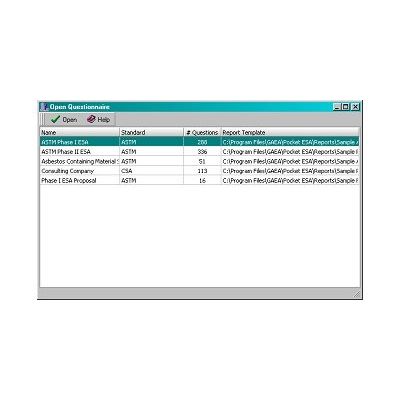
Pocket ESA can be used to generate almost any kind of report, based on a report template and questionnaire. To help you to start using the program as soon as possible, the program comes with several questionnaires and report templates. In addition, GAEA can create the report template and questionnaire tailored to your needs for an additional cost.
- Reports can be generated to follow any standard, including ASTM and CSA.
- Reports can be used for Phase I ESAs, Phase II ESAs, Environmental Compliance, Transaction Screening, etc.
- In addition to your answers to the questionnaire, photos (ex. site, aerial, historic) and third-party reports (ex. EDR, EPA, NPRI) can also be integrated into the final report.
- The data can be collected on a Pocket PC, a laptop, or paper form.
- The data can be uploaded from the Pocket PC one survey at a time or an entire project at a time.
- A blank paper form to collect the data for a questionnaire can be created with the press of a button.
- The answers to questions are tracked, and a list of unanswered questions can be displayed at any time.
- Microsoft Access database management system.
- Master project database tracks projects over a network.
- Report templates are created and edited in Microsoft Word.
- There can be an unlimited number of questionnaires.
- Questionnaires can contain an unlimited number of questions.
- Text macros can be created on the desktop and used on the Pocket PC to rapidly enter common text answers; such as, asbestos materials, drainage, site descriptions, storage tank contents, etc.
- Merged report can be immediately opened in Word.